

How to Make a Business Logo for Free (2026): Simple Steps, Sizes and Examples
A logo is the face of your business on your signboard, shop page, website, WhatsApp profile and packaging. It does not need to be expensive. It needs to be clear, readable on a small phone screen, and used the same way everywhere.
Quick answer: Pick one or two colours, a readable font and a simple symbol or your initials. Make it in a free design tool (many offer logo templates), export a square version (for profiles and your shop) and a wide version (for your website header and signboard) as PNG, and test that it is still readable when tiny.
Step 1: Decide What the Logo Must Say
Your business name is the most important part. Add a short tagline only if it helps ("Water Treatment & Vending Machines"). Think about your buyers: a baby shop can be soft and friendly, a hardware store strong and bold.
Step 2: Choose Colours and Fonts
- One main colour and one accent colour; too many colours look messy and cost more to print.
- Check the logo works on white and on a dark background.
- Use a clean font that is readable on a phone; avoid thin, curly script for the business name.
- Avoid colours and shapes that copy a famous brand.
Step 3: Make It in a Free Tool
- Open a free online design tool and search for logo templates in your trade.
- Replace the text with your business name and change colours to yours.
- Simplify: remove extra shapes and effects.
- Make a square version (icon or initials + name) and a wide version (icon + name side by side).
- Download as PNG with a transparent background, and keep the editable file.
Logo Sizes You Will Need
| Where | Shape | Tip |
|---|---|---|
| Shop page / profile pictures | Square | Initials or icon readable in a small circle |
| Website header | Wide | About 3–4 times wider than tall |
| WhatsApp Business and Facebook | Square | Keep text big; the image is cropped to a circle |
| Signboard and print | Wide, high resolution | Ask the printer for the size; vector files print best |
| Packaging stickers | Square or round | Bold and simple |
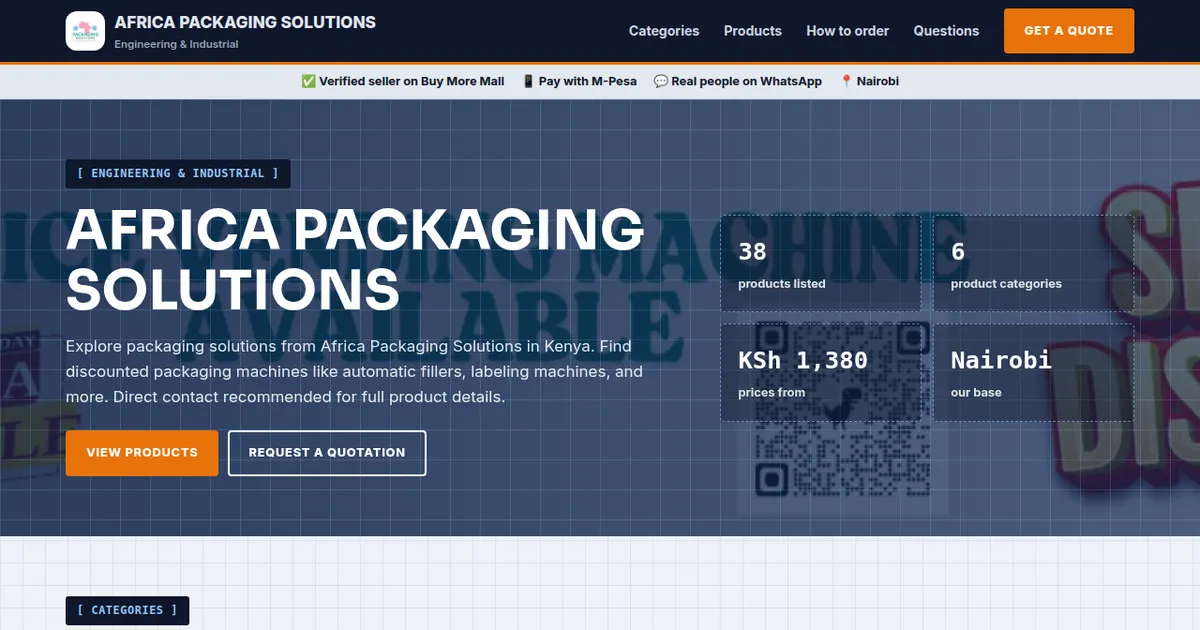
On Buy More Mall, your shop logo appears on your shop page and at the top of your website. The examples above show real seller logos in a website header.
When to Pay a Designer
If your business is growing, you print a lot, or you need a trademark-worthy mark, a professional designer is worth it. Give them your name, colours, examples you like and where the logo will be used, and ask for the editable source files.
Common Mistakes to Avoid
- Too much detail that disappears when small.
- Unreadable fonts.
- Copying another brand's logo or colours.
- Different versions on every platform.
- Only having a blurry low-resolution file.
Frequently Asked Questions
How can I make a business logo for free?
Use a free online design tool with logo templates, simplify it, and export square and wide PNG versions.
What makes a good logo?
Simple, readable when small, one or two colours, and used consistently.
What size should my logo be for my website?
A wide version about 3–4 times wider than tall, saved as PNG; plus a square one for profiles.
Can I make a logo on my phone?
Yes, many free design apps work on phones.
Should I trademark my logo?
Consider it once your brand is established; get professional advice on registration.
Cover image: screenshot of a seller website header with the shop logo on Buy More Mall.
Related Guides
Recent Posts
How to Make an Invoice in Kenya (2026): Free Template, What to Include and How to Get Paid
How to Write a Quotation in Kenya (2026): Format, Sample and Tips to Win the Job
How to Keep Business Records in Kenya (2026): Simple System for Small Businesses
How to Manage Stock in a Small Shop in Kenya (2026): Stop Losses and Stock-Outs
How to Calculate Profit in a Small Business (2026): Formula and Kenyan Examples
KRA eTIMS for Small Businesses (2026): How to Register and Issue an eTIMS Invoice
How to Sell on TikTok in Kenya (2026): Videos, Lives and Turning Views Into Orders
How to Run a Sale or Discount Offer in Kenya (2026): 12 Ideas That Protect Your Profit

Rotary Hammer and Demolition Hammer Price in Kenya (2026): Which One Do You Need?
 buymoremall
Kenya's Online Marketplace
Buy More Mall Kenya gives you a direct link to manufacturers, suppliers and service providers. Sellers are verified, there are no shortcuts, and customised orders come at affordable rates.
- Buy direct from manufacturers & suppliers
- Verified sellers and service providers
- Pay securely with M-Pesa
Shop
Sell & Earn
Help
Contact Us
- 0717 263 774
- Chat on WhatsApp
- buymoremallkenya@gmail.com
- Eastern bypass Ruiru Near Naivas super market @ kamakis & Nanyuki Neema Academy
- Contact page