


Laptop Battery Health: How to Check It and When to Replace the Battery (2026)
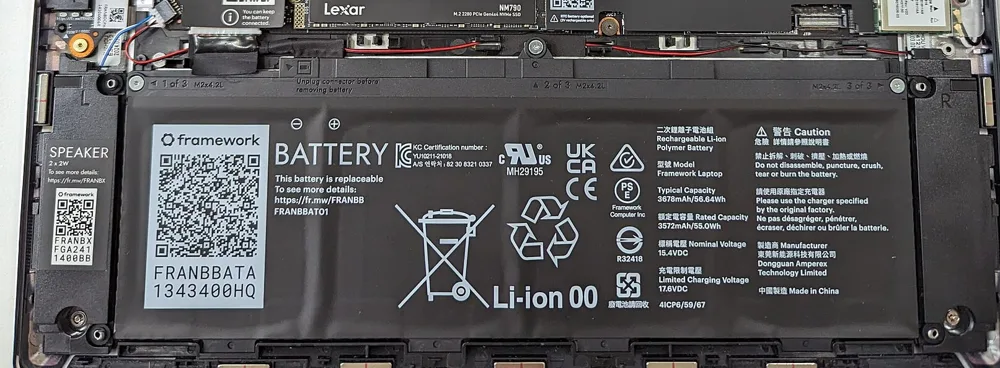
A laptop that dies an hour after unplugging, shuts down at 30% or only works on the charger usually has a worn battery, not a broken laptop. You can check the battery’s health in a few minutes and replace it for far less than a new laptop.
Quick answer: On Windows, run powercfg /batteryreport in Command Prompt and compare Full charge capacity with Design capacity; on a Mac, see System Settings → Battery → Battery Health. Plan a replacement when capacity falls below about 70–80%, the laptop shuts down unexpectedly, or the battery swells (replace a swollen battery immediately). Replacement batteries for HP, Lenovo and Dell laptops start from KSh 1,500 on Buy More Mall.
How to Check Battery Health
| System | How |
|---|---|
| Windows | Open Command Prompt, type powercfg /batteryreport, open the report it saves and compare Design capacity with Full charge capacity. |
| macOS | System Settings → Battery → Battery Health (shows Normal or Service Recommended and maximum capacity). |
| Manufacturer tools | HP, Lenovo and Dell support apps show battery health and run diagnostics. |
Wear level = 100% − (Full charge capacity ÷ Design capacity × 100%). A battery at 60% of its design capacity gives roughly 60% of the original runtime.
Signs You Need a New Battery
- Runtime is a fraction of what it used to be.
- It shuts down suddenly at 20–40%.
- It only works when plugged in.
- Windows or macOS warns "Consider replacing your battery" or "Service recommended".
- Swelling: a lifted touchpad, bulging base or keyboard. Stop using it and replace it.
If it will not charge at all, first rule out the charger: see laptop not charging fixes.
Replacement Batteries on Buy More Mall
KSh 2,200
KSh 2,000
KSh 1,500
KSh 3,000
KSh 2,500
KSh 3,000
KSh 2,500
KSh 2,600
Some photos are reference images of the product type, used under open licences. Image credits are on each product page.
| Battery | Fits | Price |
|---|---|---|
| HP 840 g5 Battery | HP EliteBook 840 G5 | KSh 2,200 |
| HP 840 g3 Battery | HP EliteBook 840 G3 | KSh 2,000 |
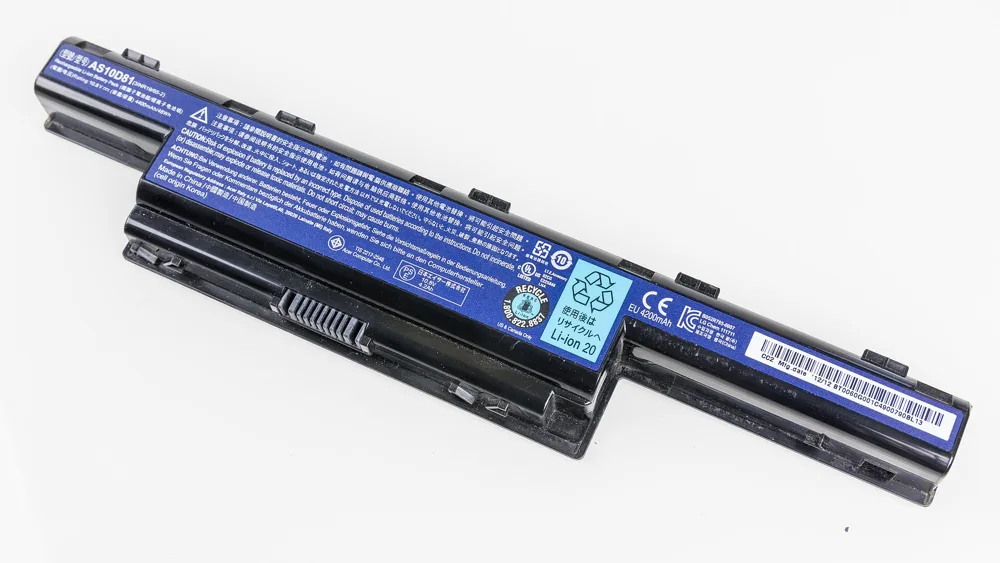
| HP 430 g3 Battery | HP ProBook 430 G3 | KSh 1,500 |
| HP 250 g4 Battery | HP 250 G4 | KSh 1,500 |
| Lenovo T480s Battery | Lenovo ThinkPad T480s | KSh 3,000 |
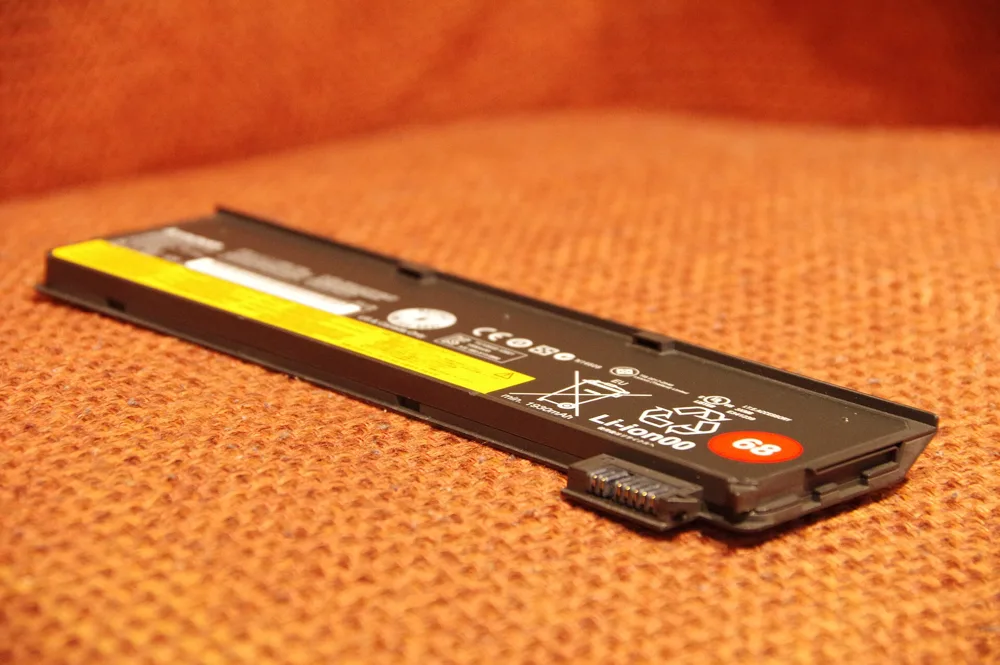
| Lenovo T470s both internal & external Battery | Lenovo ThinkPad T470s | KSh 2,500 |
| Dell 5300 Battery | Dell Latitude 5300 | KSh 3,000 |
| Dell 5420/6420 Battery | Dell Latitude 5420/6420 | KSh 2,500 |
| Dell 5480 Battery | Dell Latitude 5480 | KSh 2,600 |
How to Choose the Right Battery
- Note the exact laptop model (on the label under the laptop) and the battery part number.
- Match the voltage and connector; capacity (Wh) can be equal or higher.
- Ask the seller to confirm compatibility before paying.
- Internal batteries need careful opening; use a technician if unsure.
Can Battery Health Increase?
Not really: lithium batteries wear with charge cycles and heat. Calibration can correct the percentage display, but it does not restore capacity. Slow the wear by keeping the laptop cool, avoiding long periods at 100% while hot, and using battery-care modes (many HP, Lenovo and Dell laptops can stop charging at 80%).
Worked Example: A Student’s EliteBook
A student’s HP EliteBook 840 G3 lasts 40 minutes off the charger. The battery report shows 31% of design capacity. A replacement battery restores a full day of lectures for a fraction of the price of a new laptop.
Common Mistakes to Avoid
- Using a swollen battery.
- Buying by brand only, not by exact model and part number.
- Blaming the battery when the charger or port is faulty.
- Leaving the laptop charging on a bed or sofa (heat).
Not sure which one fits? Send us your details on WhatsApp or through the product page and we will help you choose.
Frequently Asked Questions
How do I check my laptop battery health?
On Windows run powercfg /batteryreport; on Mac see Battery Health in System Settings.
When should I replace my laptop battery?
When capacity drops below about 70–80%, it shuts down unexpectedly, or it swells.
How much is a laptop battery replacement in Kenya?
Batteries for popular HP, Lenovo and Dell models start from KSh 1,500 on Buy More Mall.
Can laptop battery health be restored?
No; calibration only fixes the display. Replacement restores runtime.
Is it safe to use a swollen battery?
No. Stop using it and replace it.
Prices shown are regular prices on Buy More Mall. Many products are currently on offer, so open the product page to see today's price.
Related Guides
Recent Posts
How to Get Your Business on Google Maps in Kenya (2026): Free Listing Step by Step
How to Advertise Your Business on Facebook in Kenya (2026): Free and Paid Ways

How to Register a Business Name in Kenya (2026): eCitizen Steps, Cost and Documents

How to Get a KRA PIN for a Business in Kenya (2026): Sole Proprietor and Company

How to Make a Business Logo for Free (2026): Simple Steps, Sizes and Examples

How to Sell on Instagram in Kenya (2026): Beginner's Step-by-Step Guide

How to Start Dropshipping in Kenya (2026): How It Works, Costs and Risks

Baby Clothes Wholesale in Kenya (2026): Prices per Piece, Bales and How to Start

How to Create a Business Website in Kenya (2026): Free and Low-Cost Options That Sell
 buymoremall
Kenya's Online Marketplace
buymoremall
Kenya's Online Marketplace
Buy More Mall Kenya gives you a direct link to manufacturers, suppliers and service providers. Sellers are verified, there are no shortcuts, and customised orders come at affordable rates.
- Buy direct from manufacturers & suppliers
- Verified sellers and service providers
- Pay securely with M-Pesa
Shop
Sell & Earn
Help
Contact Us
- 0717 263 774
- Chat on WhatsApp
- buymoremallkenya@gmail.com
- Eastern bypass Ruiru Near Naivas super market @ kamakis & Nanyuki Neema Academy
- Contact page